 FlowKeys
Typing on a Mac after a spinal cord injury
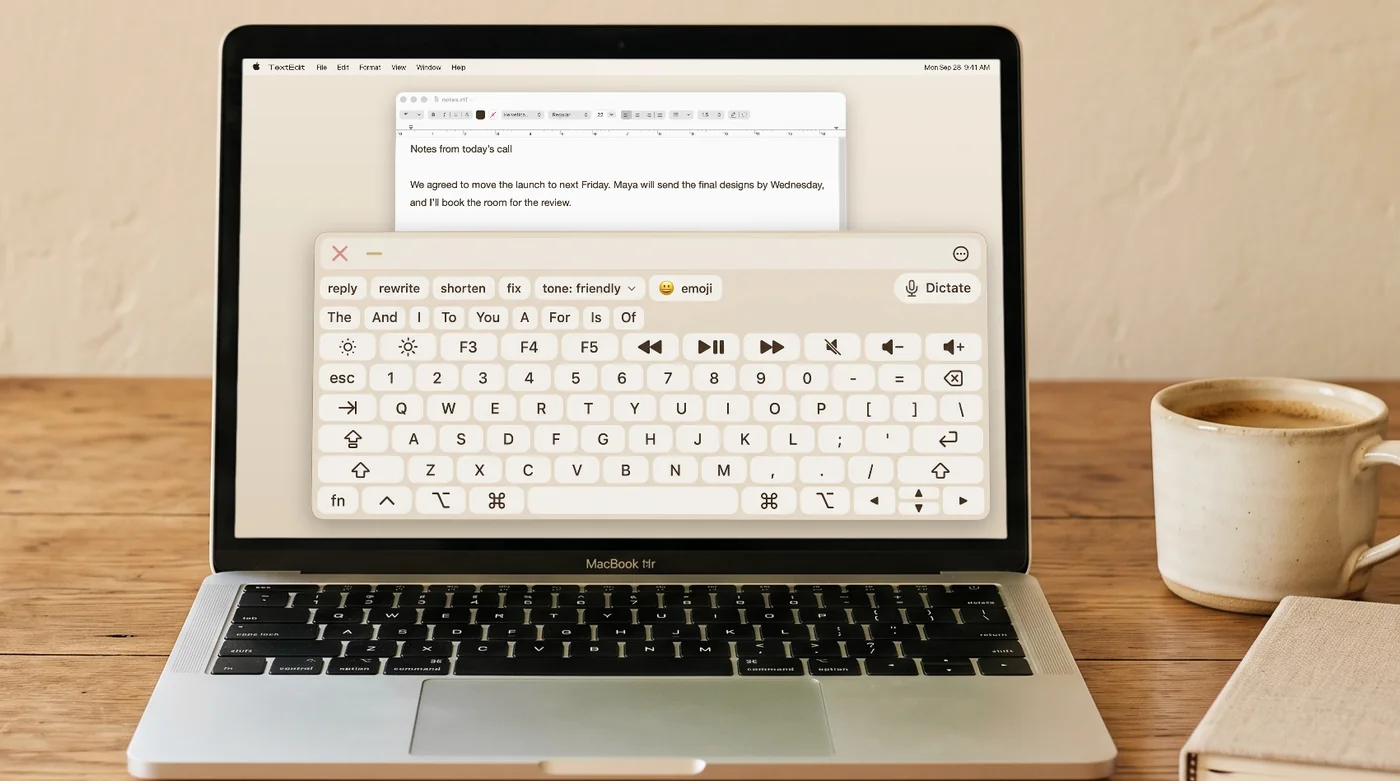
After a spinal cord injury, a regular keyboard may be slow, tiring or out of reach. A Mac can still be used all day with whatever movement works best for you. FlowKeys is an on-screen keyboard that meets you there, then cuts down how much pointing and clicking each message takes.
Match the setup to the movement you have
- Some hand or wrist movement: a trackball or large touchpad is often easier than a mouse. Click normally, or use dwell if pressing the button is tiring.
- Typing splints or a typing stick: a physical keyboard may still work for short bursts. An on-screen keyboard with word suggestions can take over when your hands are tired.
- Mouth stick or head pointer: point at keys on the screen and let dwell do the clicking. macOS's head pointer uses the built-in camera, so no extra hardware is needed to try it.
- Sip-and-puff or another switch: if your switch acts as a key or mouse button on the Mac, FlowKeys' scan mode lets you type with it. The keyboard highlights one row, then one key, and your switch picks.
Let your voice do the long stuff
For most people with a spinal cord injury, dictation is the fastest way to write anything long. FlowKeys puts a Dictate button on the keyboard: tap it, talk, and punctuated text lands where your cursor is, with filler words taken out. Then use the keyboard for names, fixes and short replies.
Fewer presses per message
- Nine word suggestions in one row that learn your words. Over half your keystrokes saved on everyday messages.
- Inserts for text you type often: your email, address, or a standard reply.
- One-tap rewrites to reply, shorten, fix or change the tone without retyping.
Make it fit your screen
Resize the keyboard, scale the letters, choose a theme and how see-through it is, and move it where it's easiest to reach. Big keys mean less precise pointing, which matters with a mouth stick or head pointer.
Common questions
How do quadriplegics use a Mac?
Common setups combine a way to move the pointer (a trackball, mouth stick, head pointer or eye tracker), an on-screen keyboard, dwell clicking or a switch, and dictation for longer text. FlowKeys puts the keyboard, word suggestions and dictation in one place.
Does FlowKeys work with sip-and-puff switches?
If your switch interface makes the Mac see a key press or mouse click, yes. Set it as the scan select input in FlowKeys' scan mode.