 FlowKeys
Typing on a Mac with RSI
When typing hurts, the goal is simple: fewer keystrokes. FlowKeys is an on-screen keyboard for Mac that lets you talk instead of type, pick whole words instead of spelling them, and fix text without retyping it.
FlowKeys is a typing tool, not a treatment. If typing hurts, talk to a doctor or physiotherapist about what's causing it.
Talk instead of typing
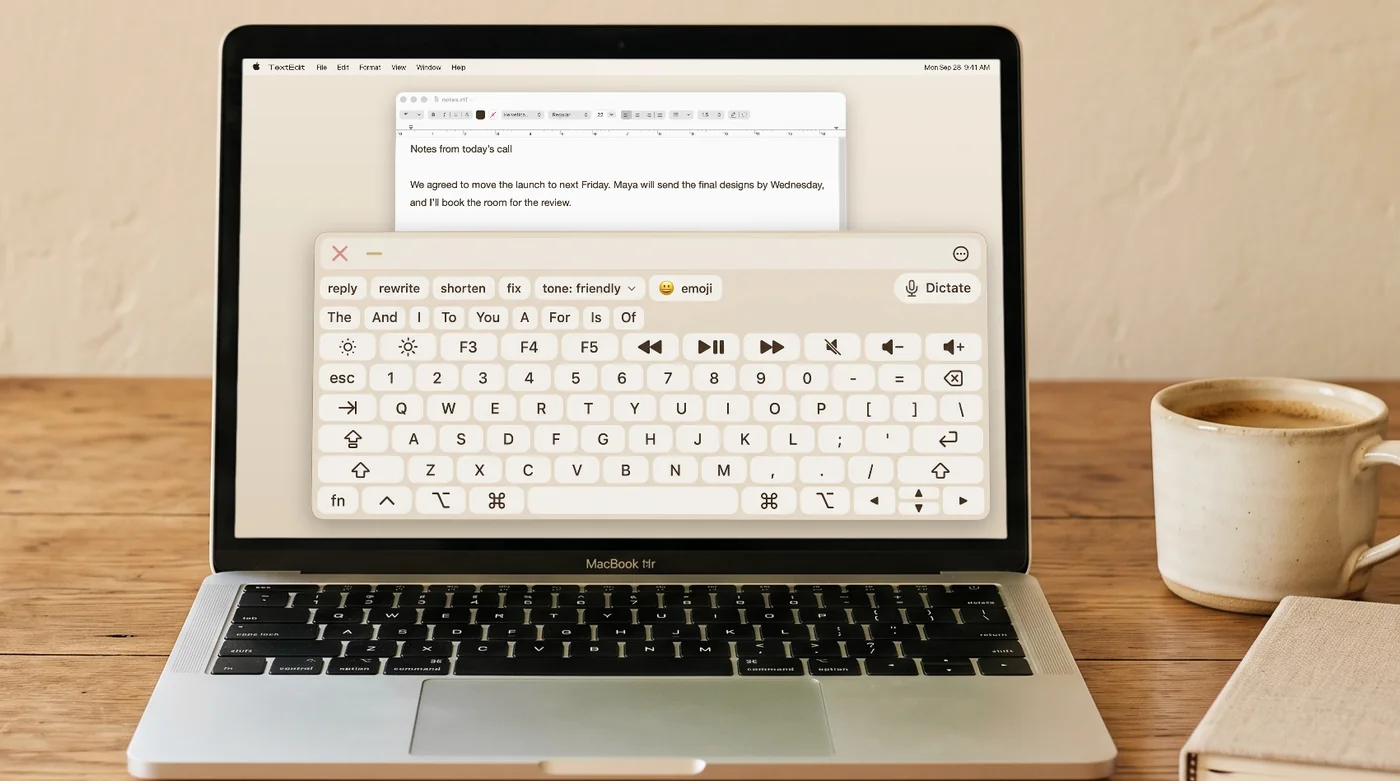
The biggest cut to keystrokes is not typing at all. FlowKeys puts a Dictate button on the keyboard: tap it, say your email or message, and it lands in your field with punctuation and without the ums and uhs. Keep the keyboard for names and small edits.
Pick words instead of spelling them
FlowKeys shows nine word suggestions in one row and learns the words you use. Over half your keystrokes are saved on everyday messages, measured on 500 messages FlowKeys had never seen.
Edit without retyping
Rewrite, shorten, fix or change the tone of a whole message in one tap. Rewording a paragraph by hand is exactly the kind of repetitive typing that flares RSI.
Give your hands a different motion
- Use a mouse or trackball instead of the keyboard. Clicking on-screen keys moves different muscles than typing, which can be a useful break.
- Try dwell clicking to click by resting the pointer, with no button presses at all.
- Save text you type a lot as Inserts: sign-offs, addresses, standard replies.
- Try a different layout. FlowKeys offers QWERTY, Dvorak, Colemak, Colemak-DH and AZERTY.
Common questions
How can I type less on a Mac with carpal tunnel?
Dictate longer text, use word prediction to pick whole words, save phrases you type often, and rewrite messages in one tap instead of retyping them. FlowKeys puts all of these in one on-screen keyboard.
Is dictation on a Mac accurate enough for work email?
For most people, yes. FlowKeys dictation adds punctuation and removes filler words, so short fixes on the keyboard are usually all that's left.