 FlowKeys
Typing on a Mac with ALS
With ALS, the way you type often has to change more than once. A setup that works this year may need adjusting next year. FlowKeys is an on-screen keyboard for Mac that keeps working as you move from a mouse to a head pointer or eye tracker, and it helps you get the most out of every press.
What FlowKeys is and isn't. FlowKeys types text into your Mac's apps: email, messages, documents, the web. It doesn't speak your words aloud, so it isn't a speech-generating device. If you need one, your speech-language pathologist or ALS clinic can help you find the right fit.
A setup that changes with you
You don't have to relearn a new keyboard each time something changes. Keep the same on-screen keyboard, the same word suggestions and the same saved phrases, and swap only how you point and click.
| If you can | Point with | Click with |
|---|---|---|
| Move a hand but typing tires you | Mouse, trackball or touchpad | A normal click |
| Move a hand a little, but clicking is hard | Trackball or touchpad | Dwell: rest on a key to press it |
| Move your head | macOS head pointer, using the built-in camera | Dwell |
| Move your eyes | An eye tracker that moves the Mac pointer | Dwell |
| Press one button reliably | Scan mode steps through the keys for you | One switch, key or mouse button |
The typing without a keyboard guide walks through turning each of these on.
Save energy on every message
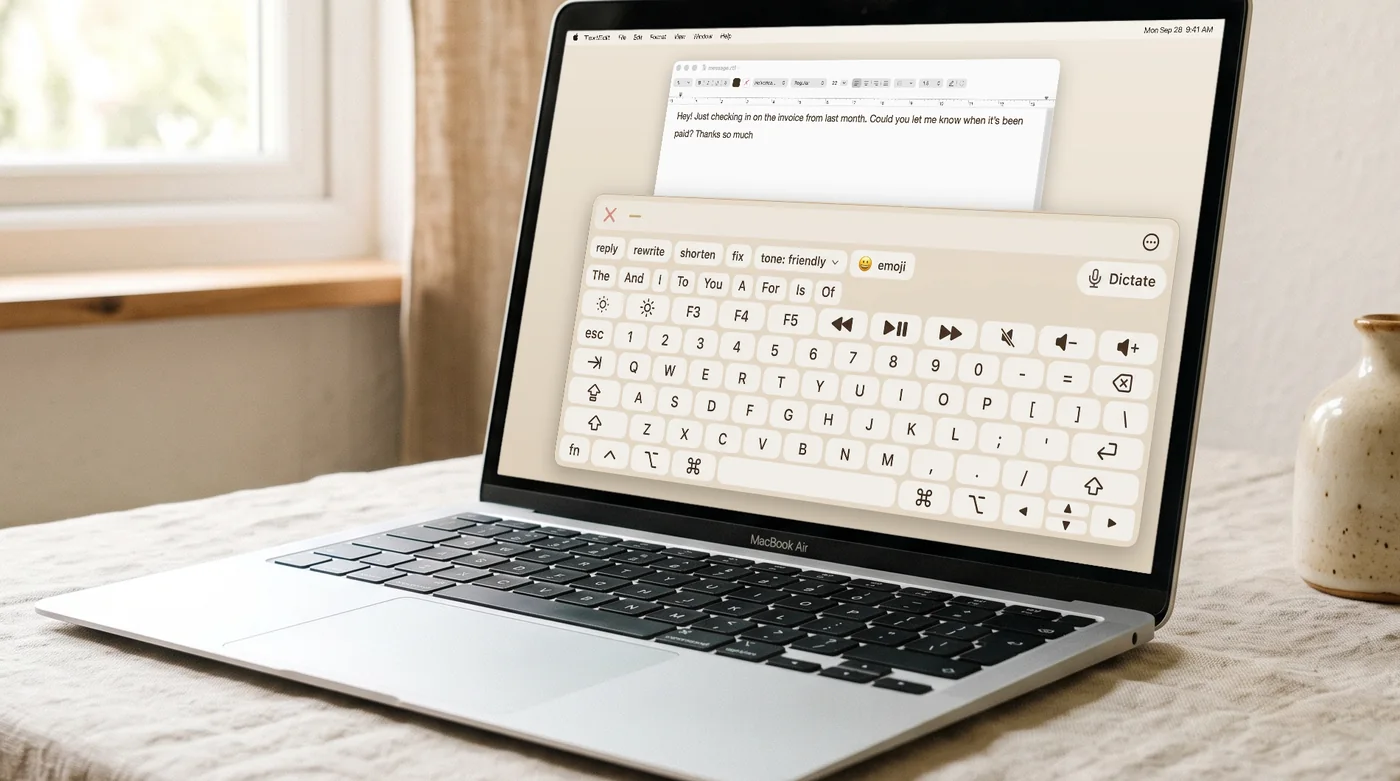
- Word suggestions that learn you. FlowKeys shows nine suggestions in one row and learns the words you use, including names of family and carers. Nearly 4 in 10 words show up before you type a letter.
- Dictation while your voice works for you. Tap Dictate on the keyboard, talk, and punctuated text lands in your field. Many people use dictation for long messages and the keyboard for short ones and corrections.
- Saved phrases. Put the things you say often, like your address or "I need help with…", one tap away with Inserts.
- Fix without retyping. Shorten, fix or change the tone of a message in one tap instead of editing it letter by letter.
Dwell settings that suit head pointers and eye trackers
Head and eye pointing always wobbles a little. In FlowKeys you can set how much the pointer may drift before a dwell restarts, use a different dwell time for keys than for the rest of the screen, and park actions like pause or right click in the screen corners. See the dwell clicking guide for suggested starting points.
Common questions
Can someone with ALS use a Mac without their hands?
Yes. macOS can move the pointer with your head using the built-in camera, or with an eye tracker. Pair that with an on-screen keyboard such as FlowKeys or Apple's Accessibility Keyboard, and dwell clicking to press keys by resting the pointer on them.
Does FlowKeys work with eye trackers?
Yes. Any eye tracker or head pointer that moves the Mac pointer works with FlowKeys. Dwell clicking handles the clicks.